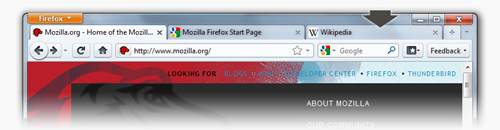
Download Firefox 4 Beta 6
Written by mv on 9/16/2010 07:33:00 p.m.Acesta este raspunsul celor de la Mozila pentru IE9.
Download: Firefox 4 Beta 6 | aprox. 8 MB


Acesta este raspunsul celor de la Mozila pentru IE9.
Download: Firefox 4 Beta 6 | aprox. 8 MB
Disponibil doar pentru Windows Vista si Windows 7
Download Vista - Romana 32 biti
Win7 – Romana 32 Biti | 64 Biti
sau pagina generala de download aici

Highlights
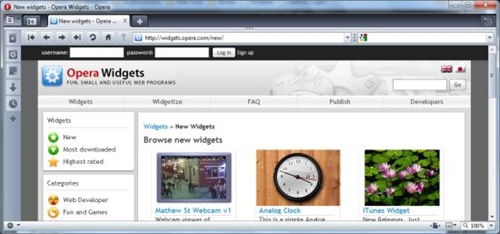
A couple of possible fixes for pages that never stop loading (NSL)
Stability fixes
Native skin fixes
Widgets should work when upgrading from 9.64
Icon fixes for Windows and Unix
Foarte tare !
1.
Security
Internet Explorer 8 takes the cake with better phishing and malware protection, as well as protection from emerging threats.
Reliability
Only Internet Explorer 8 has both tab isolation and crash recovery features; Firefox and Chrome have one or the other.
MS nu a auzit de Opera :)
2. E posibil sa renunt la Opera 10 si sa folosesc Chromium. Ce sa spun .. E RAPID …
Download | via Desktop Team
Yes, we have added thumbnails on the tabs themselves to make it even easier to find that Web site you were looking for. These visual tabs are currently folded away by default, but can easily be enabled by dragging the drag handle available just beneath the tab bar.
Note: The following instructions apply to the Mac OS X version of Safari 4. If you are on Windows, I have written up some fairly convoluted instructions that require resetting your Safari preferences. See Changing Hidden Preferences in Safari 4 Public Beta on Windows if that interests you.
Setting Preferences
You can set the preferences described in this article by opening the Terminal application (in /Applications/Utilities) and typing:
defaults write com.apple.Safari [PreferenceKey] -bool NO
Reverting the Redesigned Toolbar
defaults write com.apple.Safari DebugSafari4IncludeToolbarRedesign -bool NO
Reverting “Tabs on Top” Behavior
defaults write com.apple.Safari DebugSafari4TabBarIsOnTop -bool NO
8.0.6001.18372 (RC 1)
32-bit | Windows XP | Server 2003 32-bit | Vista and Server 2008
64-bit | Windows XP and Server 2003 | Vista and Server 2003

 | Posted in »