Peste Noapte

Blog personal

Site inactiv din 2015


FastAero 1.2 fo XP

Written by mv on 12/27/2008 03:17:00 p.m.

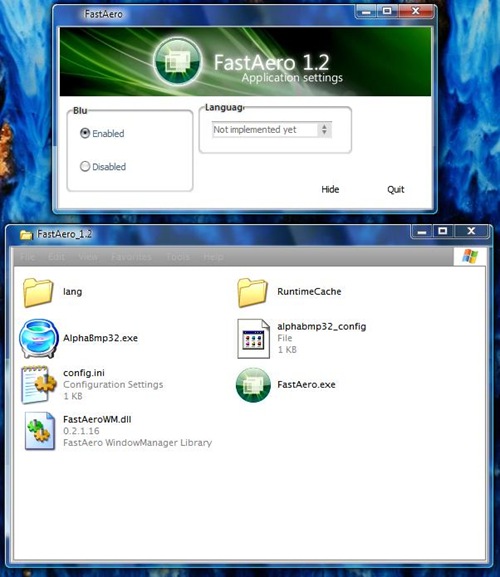
FastAero aduce efectul de transparenta+blur din windows vista in xp.

Video |Download Polish language | English version (english added by me)

FastAero 1.2 for Xp sceen shot

AeroVista by InTime, The perfect WindowBlinds skin

Written by mv on 1/19/2008 04:39:00 p.m.

AeroVista by InTime, The perfect WindowBlinds skin


Source | Jcxp

Download Beta 1| JCxp | Rapidshare

Download Beta 3 |JCXP | RapidShare

Download AeroVista 1.0b3 for WindowBlinds here.
Download AeroVista 1.0b3L for WB (Start Menu large icons) here.
Download AeroVista 1.0b3 for TrueTransparency here.
Download AeroVista 1.0b for ViStart here.


Graphical elements from: VistaXP by KoL, Aero Style by Windows X, AeroPlus by Hero of Time, AeroGlass by Ironjer, Vista32px by Jemaho, Vista RTM Clear Taskbar by Juan Perez.

WindowBlinds 6.x is required to use this skin. Not test with WindowBlinds 5.x.

Double-click on the AeroVista.wba to install. Skin must be applied twice to activate all features. Open StartMenu twice to activate transparency. Reboot if all features don't seem to be activated.

For more information visite us at: http://intimeapplications.com

Report any bugs here

Download Vista Transformation Pack 8

Written by mv on 11/29/2007 10:50:00 a.m.

update : Download Seven Transformation Pack with Superbar !

-------

Download Vista Transformation Pack 8 or VTP8

download vista transformation pack 8 screenshot

Changes in Version 8.0
-Added CPU Speed information in Welcome Center
-Added saving setup information file to save setup configuration for later uses with unattended transformation support
-Added installation background
-Added "System optimized" in Setup Configuration to configure the user account corresponding to machine's spec-Added TrueTransparency 0.8.5 (Glass border with ported AeroStyle skin)
-Added WinFlip 0.42 (Vista 3DFlip)
-Fixed KB925902 hotfix issues with file processing animation
-Fixed Media Center program execution error
-Fixed rebuilding icon cache bug on non-current users during the processes
-Fixed Styler's installation checking bug (always set toolbar to styler mode when possible)
-Fixed failing to apply Vista screensaver
-Fixed program name in Add/Remove Programs
-Fixed subscribing Windows X's shrine to be default homepage bug in Welcome Center
-Fixed visualtooltip's advanced configuration bug
-Fixed WindowBlinds 6 skin installation compatibility
-Moved hotfix warning to user guide file to prevent confusion
-Re-arranged welcome dialog for richer information
-Replaced Extras in Welcome Center with Community link to forum
-Removed configuring user account's status report
-Removed obsolete dialogs (WindowBlinds warning, Before transformation, Donation, FAQ and Q&A)
-Removed Vista Live Messenger 8.1 skin
-Updated Setup Configuration in Welcome Center to cover on everything
-Updated setup transformation to pre-configure current user account before finishing the transformation
-Updated theming engine configuration
-Updated Vista Sidebar to version 2.3 Lite
-Updated Vista Sidebar user account configuration in Welcome Center
-Updated ViStart to build 2661
-Updated ViOrb to version 2.0
-Updated VisualTooltip to version 2.2
-Updated Welcome Center to pre-configure user account with system optimized option on the first run in that user account


Donwnlad:
RapidShare,Savefile.com,Wiki Upload
(thx Windows X)


Source;JCxp


Screenshot:
hereand here


Download (dialup):
1 of 4 http://www.sendspace.com/file/uz14dn File one
2 of 4 http://www.sendspace.com/file/nreh49 File TWO
3 of 4 http://www.sendspace.com/file/82hqwr File Three
4 of 4 http://www.sendspace.com/file/0w6hq4 Creator

(thx DisVista)


Website:
here

--

Download Vista Transformation Pack 8.0.1

Rapidshare | Wikiupload | Softpedia

Creative Commons License